Scale your vehicle rental business with Rent Ride
The all-in-one platform designed to launch, manage, and scale your vehicle rental operations with ease.
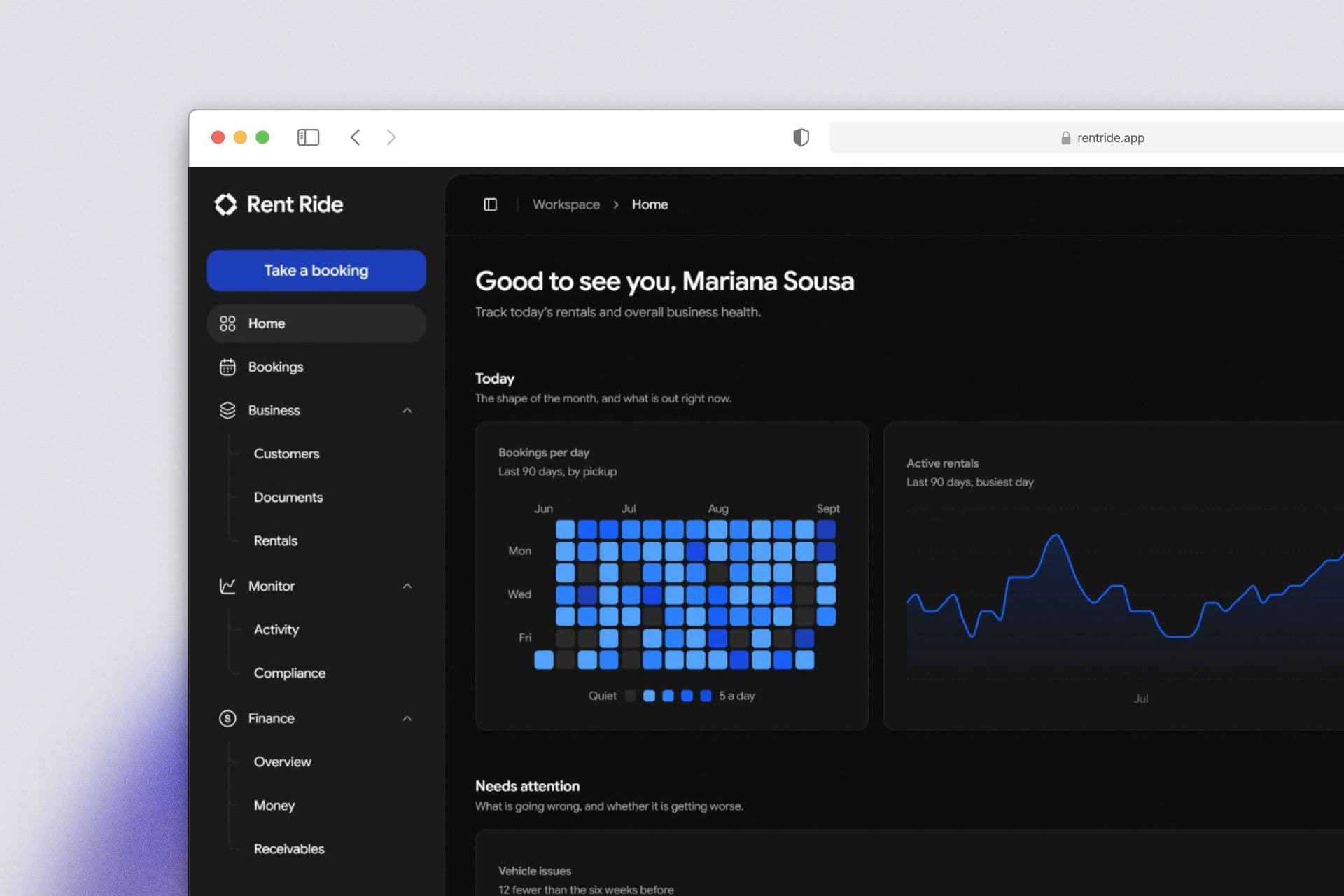
Getting started
From setup to your first booking in hours, not weeks
Zero setup delays, no migration calls, and nothing to install
- 01
Add your vehicles
Add required vehicle information as you go. Nothing has to be complete on day one
- 02
Set what you charge
Create reusable pricing and fee packages to save time. Set your rates once, then apply them anywhere
- 03
Take bookings
Select the dates, assign a vehicle, and add the customer's details. The platform handle the rest for you
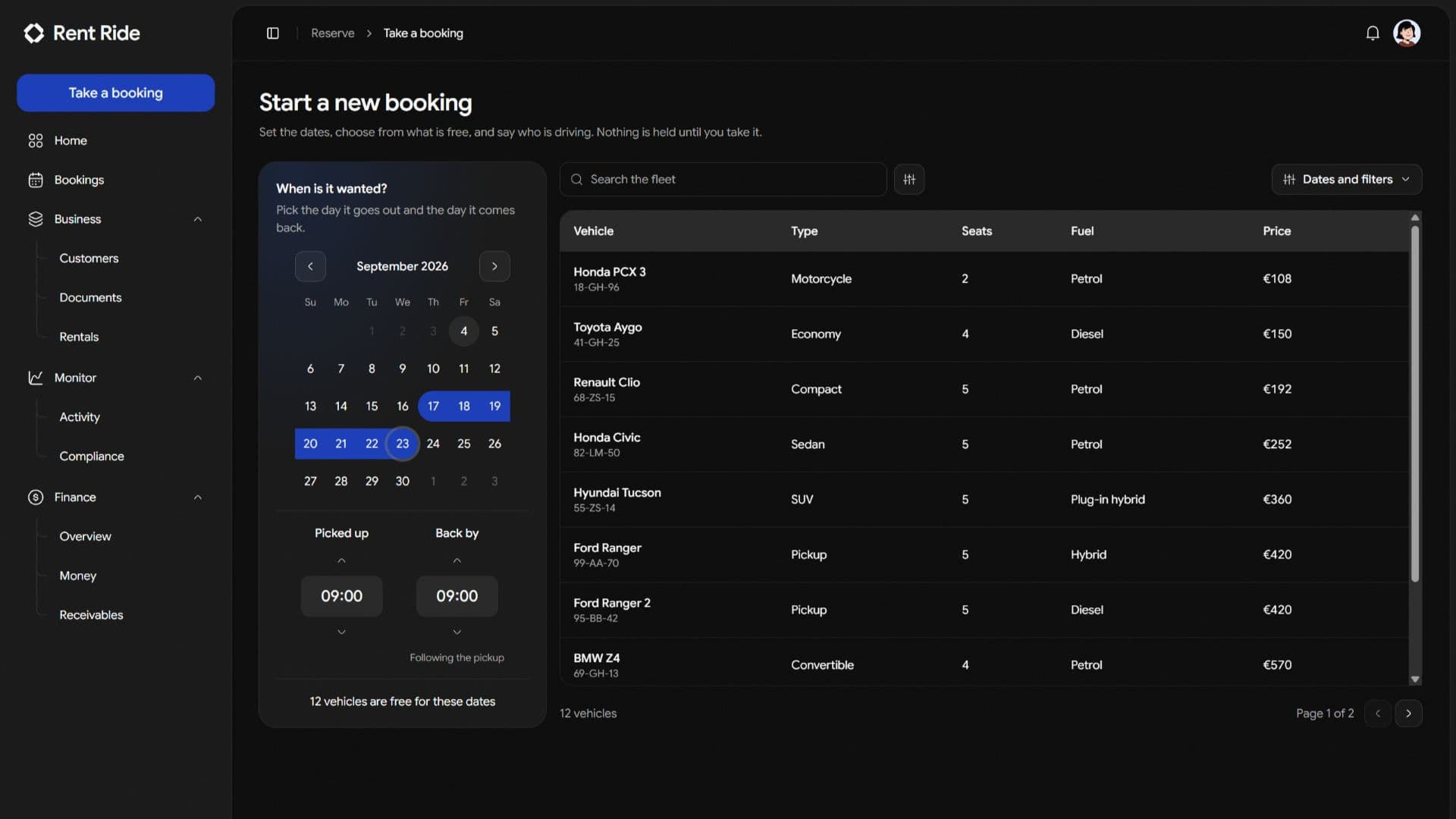
Automated availability
Never keep a manual rental calendar again.
Pick your dates, and the platform instantly shows only the vehicles available to rent.
- Checked against the vehicle
- Pick rental dates and view only the vehicles that are genuinely ready to drive.
- Refused as it is taken
- Overlapping booking requests are refused instantly upon entry, protecting your customer experience.
- Maintenance takes it out
- Mark a vehicle for maintenance and the system automatically hides it from future availability.
Rent Ride is extremely simple
We provide all the tools you need to simplify your vehicle rental business from end to end.
Vehicle records
Track every vehicle, plate, class, mileage, and status in one centralized system.
Maintenance
Log service jobs, mark vehicles as out of service, and automatically remove them from the booking flow.
Document expiry
Track insurance, registration, and inspection dates with automated reminder windows.
Bookings and scheduling
Accept reservations against real-time availability. Overlapping dates are automatically blocked, preventing double-bookings.
Customer records
Store licences, contact details, and rental histories securely so vehicle handovers take only few seconds.
Invoicing and deposits
Generate branded invoices, hold security deposits on active rentals, and maintain a clear ledger per booking.
Revenue reporting
Monitor daily revenue, average rental value, and earnings broken down by vehicle class.
Multiple branches
Manage several locations under one account, each with its own fleet, staff, and financial analytics.
Roles and permissions
Invite staff with scoped access, ensuring your front desk sees operations and your financials stay private.
Built for the people at the counter
Independent operators run the same day as the big chains, with none of the back office.
A spreadsheet, a wall planner and a phone
One record per vehicle and per booking, with availability the software works out rather than somebody keeping current.
Software that takes a fortnight to set up
Add a vehicle, set a rate, take a booking. No implementation project, no migration call, no onboarding fee.
Per booking fees and annual contracts
One monthly price by how many vehicles you run. Staff and branches priced as you add them, and cancel from settings whenever.
Pricing
One monthly price, by how many vehicles you run
Every plan opens with a 7 day free trial. Staff and branches are added as you need them, there is no contract, and you cancel from settings.
Answers, before you ask
What operators ask before they move off a spreadsheet.
- What kind of vehicle hire is it built for?
- Cars and self-drive hire, vans and trucks, motorbikes and scooters, campervans and motorhomes, and chauffeur and luxury work. The records underneath are the same and the vocabulary is the one used at the counter: a plate, an odometer, a handover, a vehicle off the road. Vehicle types are yours to name, so a yard of scooters and a yard of seven-tonne trucks each read as themselves.
- Can Rent Ride stop double bookings?
- Yes, and it refuses the booking as it is made rather than reporting the clash afterwards. Availability is read off the vehicle rather than off a calendar somebody keeps up to date, so a hire, a service job and a period off the road each remove it on their own. A car that is back in time but not back long enough to be cleaned and checked is reported as owing turnaround, which a manager can overrule.
- What do I have to move across before I can start?
- Your vehicles, and nothing else. Each one is added on a single form and there is no bulk import to prepare, so you can take a booking before the whole fleet is in. Bookings run from the day you begin rather than being backfilled, and the spreadsheet you are leaving can be kept as a stored document if you want it to hand.
- Can I control what my staff can see?
- Three roles are set up with the account: an administrator who runs everything except the bill, an operations manager who runs the fleet and the shift, and a rental counter agent who takes bookings and hands over keys without being shown the figures. Permissions are granted one action at a time rather than as a fixed set, and roles of your own can be written on the larger plans.
- Can I run more than one location?
- Enterprise runs several branches under one account, each with its own vehicles, staff and figures, and you can add branches as you open them. Starter and Professional are built around a single location.
- Do you take payments from renters?
- Rent Ride records what a booking is worth, what was collected and what is still owed, and issues the invoice. Card processing for your renters is handled by your own payment provider, and your subscription is billed securely through ours.
Get started
Rent, Ride & Repeat
Add your vehicles, set what you charge, and take a booking this afternoon.